
How to Get Started with Claude
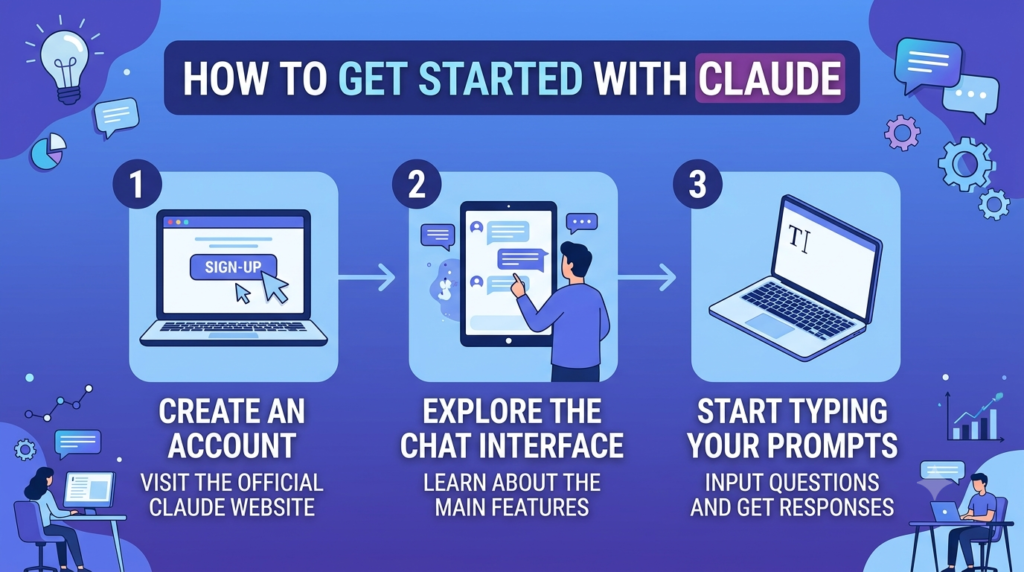
If you’ve been hearing “just ask Claude” from every corner of your marketing team and you’re not entirely sure where to start, you’re not alone. Claude is Anthropic’s AI assistant, and it’s grown from a single chat window into something closer to a full workspace.You can reach it through the web, mobile, and desktop apps, and once you’re in the desktop app specifically, you’ll notice it’s actually built around three distinct ways of working: Chat, Claude Cowork, and Claude Code.
Think of these as three tenets — three different modes suited to three different kinds of work, from a quick question to a multi-hour research project to actually building software.
This guide walks through what each one does, where each one shines, and why Cowork in particular has become a genuine unlock for marketers who’d rather spend their time on strategy than on stitching data together from six different tabs. Once you’ve got the basics down, our companion piece on creating marketing workflows using Claude is the natural next step.
What Is Claude, and What Are Its Three Modes?
At its core, Claude is a conversational AI you can talk to the way you’d talk to a sharp colleague — ask a question, get a thoughtful answer, iterate from there. That’s the experience most people know. But the desktop app splits that experience into three purpose-built modes, and understanding the difference is the fastest way to get more out of the tool.
Chat is the Claude you already know from claude.ai, with a few extras that come from running natively on your computer. You get quick entry (a keyboard shortcut that pulls up Claude in a compact window over whatever you’re doing), the ability to share screenshots so Claude can see exactly what’s on your screen, dictation for thinking out loud, and connectors to the tools already running on your machine. Chat is built for back-and-forth — brainstorming, drafting, working through a problem in real time.
Claude Cowork is built for work that takes real effort: pulling information from many sources, making sense of it, and producing something finished. Instead of a single reply, Cowork builds a plan, works through it step by step, and shows you its progress as sources get pulled in and files take shape. It can read and write to folders on your computer, run on a schedule, browse the web through Claude in Chrome, and use plugins that add specialized capabilities. It’s currently available as a research preview for Pro, Max, Team, and Enterprise users.
Claude Code puts a full development environment inside the desktop app. It reads your codebase, writes and edits code, runs commands in a built-in terminal, and tracks every change through git so nothing is ever unrecoverable. You can work locally on your own machine or remotely against a GitHub repository, and you choose how much autonomy Claude gets — from proposing every change for your approval to planning out a full approach before touching anything.
Here’s the detail worth knowing: Cowork and Code actually run on the same underlying engine. Both are Claude Code under the hood — capable of working independently, spinning up sub-agents, and sustaining long tasks without losing the thread. Cowork just wraps that engine in an interface built for research and deliverables instead of source code.
Each mode also comes with its own interaction model, which is worth knowing before you dive in. Chat is fully conversational — you talk, Claude responds, you keep going. Cowork typically asks a short set of clarifying questions up front (what’s the scope, what format do you need, are there constraints it should know about) before it builds a plan you can review and watch progress against. Code offers three explicit modes — Ask, Code, and Plan — so you decide upfront how much autonomy Claude gets, from proposing every single change for your sign-off to planning its full approach before touching a file. None of these are locked in forever, either; you can switch between Chat, Cowork, and Code depending on what a given task needs, often within the same project.
Relevant Use Cases for Chat, Cowork, and Code
Knowing what each mode does is one thing — knowing when to reach for which one is what actually saves you time.
Chat is your go-to for anything conversational and quick. You’re staring at an unfamiliar dashboard and want a plain-language explanation of what the metrics mean. You’re between meetings and want to talk through how to structure a presentation, using dictation instead of typing. You need a quick first draft of an email, a brainstorm on campaign taglines, or a sounding board for a decision you’re still working out. Chat is fast, low-commitment, and doesn’t ask much of you upfront.
Cowork is your go-to when the task has real scope to it. You need a thorough research brief that pulls from a dozen sources and cites them properly. You’re reviewing a stack of contracts or reports where the details matter and missing one is a real risk. You want to ask “what did we decide about pricing last quarter?” and have Claude search across meeting notes, slide decks, and email to find the actual answer. You’re prepping the same status update or morning briefing every day and would rather set it up once as a scheduled task than rebuild it from scratch each time. Cowork asks a few clarifying questions up front, builds a visible plan, and then does the multi-step legwork so you’re reviewing finished work instead of assembling it.
Code is your go-to when the deliverable is software, not a document. Maybe your team needs a small internal tool — a script that reformats campaign data, a dashboard that pulls numbers from an API, a fix to something broken on the marketing site. Code reads the existing codebase, makes changes, runs and tests them, and shows you a visual diff before anything ships. You don’t need to be an engineer to direct it, but the output is real, working code with version history behind it.
Most marketing teams will live mostly in Chat and Cowork, with Code reserved for the (increasingly common) moments when a marketing task actually needs a bit of custom tooling behind it — think a landing page tweak, a script that cleans up a messy export before it goes into a report, or a lightweight internal dashboard nobody wants to wait on the engineering backlog for.
It’s also worth noting these modes aren’t mutually exclusive within a single project. A common pattern is starting in Chat to rough out an idea, moving to Cowork once the task clearly needs multi-source research or a polished deliverable, and only reaching for Code if the output needs to be something that actually runs.
How Claude Cowork Is Better for Marketers
Marketing work has a specific shape to it: research spread across too many tools, recurring reports nobody enjoys building, and deliverables — decks, briefs, content calendars — that need to pull from multiple sources before they’re actually finished. That shape is exactly what Cowork was built for, which is why it tends to land harder for marketers than Chat alone.
It works across your actual toolstack, not just in a chat window. Cowork connects to the tools marketers already live in — CRM platforms, email and lifecycle tools, SEO data, design tools, analytics — through connectors and plugins. That means a request like “pull this month’s top keyword gaps and draft a post targeting the best one” doesn’t require you to manually export data first. Claude goes and gets it.
It handles the multi-source research marketers do constantly. Competitive scans, market research, positioning audits — these all involve visiting a dozen sites, reading reports, and pulling out what matters. Cowork does that legwork directly, through browser use via Claude in Chrome, and delivers a structured brief with sources instead of a pile of open tabs.
It turns recurring reporting into a non-event. Weekly performance reviews, monthly SEO checks, campaign recaps — these are exactly the kind of task that’s the same shape every time but still eats hours. Set it up once as a scheduled task, and Cowork runs it automatically, so you open a finished report instead of building one from scratch. There’s even a dedicated walkthrough from Anthropic on using Cowork for marketing ops reviews that prep themselves — it’s a common enough pattern that it’s become a documented use case.
It works from your actual campaign files. Give Cowork a folder — your brand guidelines, past campaign briefs, creative assets — and it reads what’s relevant and saves finished work back to the same place, so output stays organized alongside everything else instead of scattered across downloads.
It respects the boundaries you set. Cowork runs in a protected space: Claude can read, create, and edit files within the folders you’ve explicitly shared, and nothing outside them. For marketers handling client data, campaign performance numbers, or anything under an NDA, that containment matters.
Put simply, Chat is great for the marketer who needs an answer right now. Cowork is built for the marketer who needs a finished deliverable, a recurring report, or a research process that used to take half a day — done well, and done automatically the next time around.
There’s also a team dimension worth mentioning. On Team and Enterprise plans, Cowork brings shared context into the picture too — the same connectors, plugins, and scheduled tasks a marketing ops lead sets up can be reused across the team, so the second person doing a competitive scan or a monthly report isn’t rebuilding the process from zero. For a function that runs on repeatable playbooks as much as marketing does, that consistency compounds fast.
This shift is showing up across marketing specializations, not just marketing ops — for a broader look at where this is headed, see product marketing in the age of AI.
Frequently Asked Questions
Do I need to download anything to use Claude? No — you can use Claude directly through the web at claude.ai. The three-mode experience (Chat, Cowork, Code) is specific to the Claude desktop app for Mac and Windows, which you can download for free, though Cowork and Code require a Pro, Max, Team, or Enterprise subscription.
What’s the actual difference between Chat and Cowork? Chat is built for quick, conversational exchanges — questions, brainstorming, iterative drafting. Cowork is built for sustained, multi-step work: research that spans many sources, file organization, and producing finished documents or deliverables, often with a visible plan you can review as it works.
Do I need coding experience to use Claude Cowork? No. Cowork is designed for non-developers — marketers, analysts, operations teams — who need Claude to handle research, reporting, and document creation. No setup or technical background is required.
Can Claude Cowork connect to the marketing tools we already use? Yes, through connectors and plugins. Depending on what your organization has connected, Cowork can work with CRM, email, SEO, design, and analytics tools directly, pulling in live data instead of requiring manual exports.
Is Claude Cowork still in beta? As of now, Cowork is available as a research preview for Pro, Max, Team, and Enterprise plan subscribers, with new capabilities being added regularly. It’s fully usable today, just still evolving.
Can I schedule Claude to do recurring marketing tasks automatically? Yes. Cowork supports scheduled tasks — you define what you want done and how often, and it runs automatically, whether that’s a weekly performance report, a daily competitive check, or a monthly content audit.
Which mode should a marketer start with — Chat or Cowork? Start with Chat for anything quick and conversational, and move to Cowork the moment a task involves multiple sources, a finished deliverable, or something you’ll need to repeat regularly. Most marketers end up using both, switching based on the size of the task in front of them.